Bolt Integration
Prerequisites
Setup
- Go to the RAD Template
next14branch. - Click the
Use templatebutton and initialize with these settings:
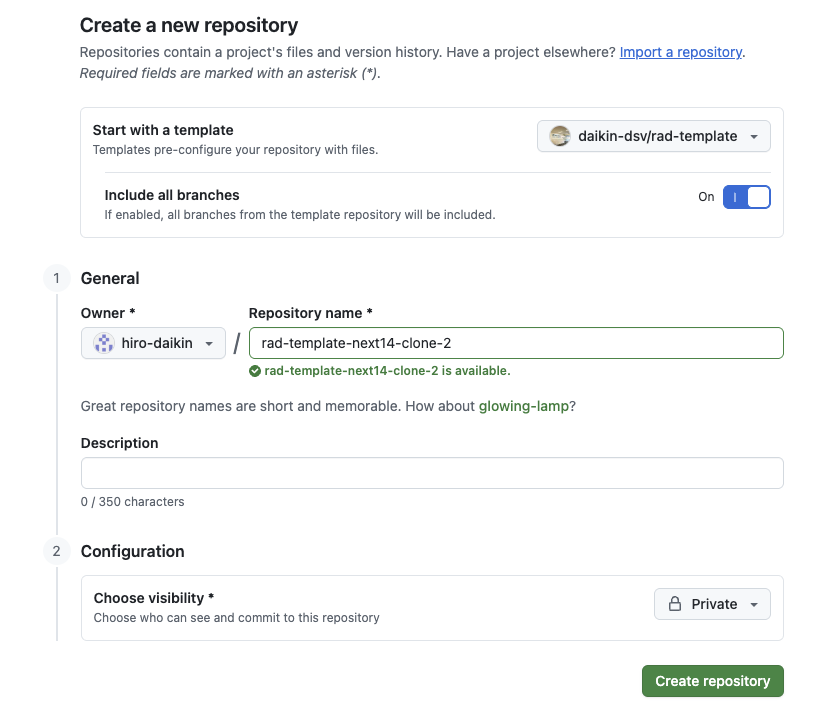
- Bolt currently supports personal GitHub repositories, so create the clone under your personal account.
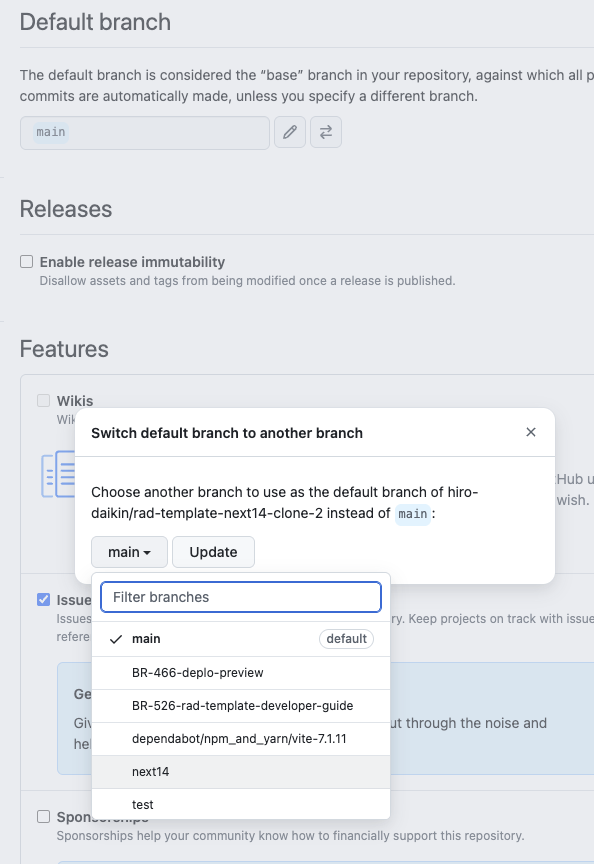
- In repository settings, change the
default branchtonext14. This step is required because Bolt currently targetsnext14.
- Go back to bolt.new, click
Import from GitHub, and select the repository you just created.
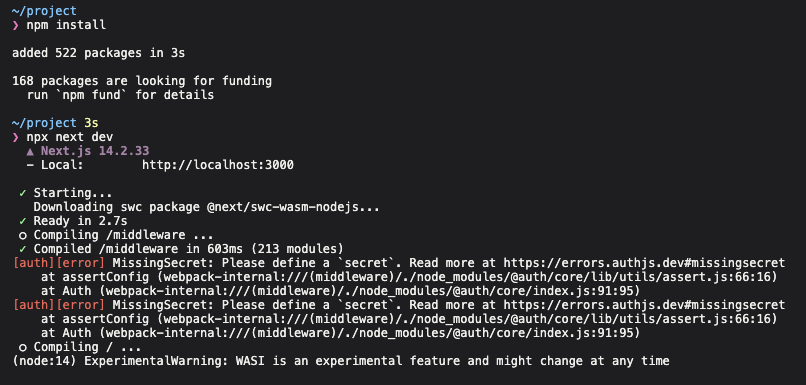
Bolt will initialize your app and try to run it. If you go to the “Code view”, it would look something like this:
ctrl + c to exit out.
Then run:
cp .env.example .env
npm run build
npm run dev
⚠️ Note: If you refresh the app, rerun npm run build.