GitHub Codespaces Integration
Prerequisites
- A GitHub account with access to Codespaces.
- Access to the daikin-dsv/rad-template repository.
- If you want to use built-in AI chat, a GitHub plan with GitHub Copilot access.
Setup
- Open daikin-dsv/rad-template.
- In the top-right corner, click
Use this template->Open in a codespace. - Wait for Codespaces to initialize dependencies.
- Run:
# Use Node v24
nvm use 24
# Copy env example to local file
cp .env.example .env.local
# Build web component bundle
npm run build
# Run dev server
npm run dev
Preview App
While the dev server is running, open the Ports tab at the bottom to find the forwarded URL:

Changes are reflected automatically in the forwarded address. The idle timeout is short, so expect the environment to stop after inactivity.
Using AI to Build UI
In the bottom-right of Codespaces, choose the LLM model available to your account (options vary by subscription/plan).
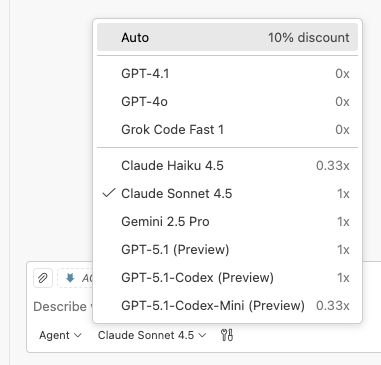
Ask the model to build the UI you want. The template provides guidance to AI tools via AGENTS.md and CLAUDE.md.
⚠️ Note: Some models may rely on specific files. OpenAI, Claude, and Grok have been tested; other models have not.